
The current narrative surrounding generative AI often focuses on the “magic wand” moment—the instance where a user types a three-word prompt and receives a breathtaking visual. In marketing materials and social media threads, this one-shot success is presented as the standard. However, for content teams and creative operations leads, the reality is far more tedious. One-shot prompting is a lottery, and relying on it for professional-grade assets is a recipe for high waste and inconsistent branding.
To move from “playing with AI” to “producing with AI,” teams must shift their cognitive load from being prompters to being editors. The most critical tool in this transition isn’t the prompt itself, but the surgical application of regional changes and inpainting. It is the bridge between a raw generation and a production-ready asset.
The Myth of the Perfect One-Shot Generation
There is a pervasive “trash-to-treasure” ratio in generative media. A content team might generate fifty versions of a hero image to find one where the lighting, composition, and subject all align. The problem arises when that “one” version is almost perfect but contains a catastrophic flaw: a distorted hand, a nonsensical background object, or a brand-incompatible color palette.
In a traditional prompt-heavy workflow, the editor’s instinct is to “fix” the prompt and regenerate. This is often a mistake. Because generative models are probabilistic, changing a single word in a prompt—or even re-running the same prompt with a different seed—reshuffles the entire pixel grid. You might fix the hand, but you will lose the lighting and the character’s expression that made the image work in the first place. This “global adjustment” trap is the primary cause of friction in creative pipelines.
Professional work requires a different mindset. Instead of throwing the whole generation away, the operator must treat the initial output as a canvas. The goal is to lock down the 80% that works and surgically address the 20% that doesn’t. This is where regional editing becomes the dominant phase of production.
Strategic Regional Changes: Refining the Visual Canvas
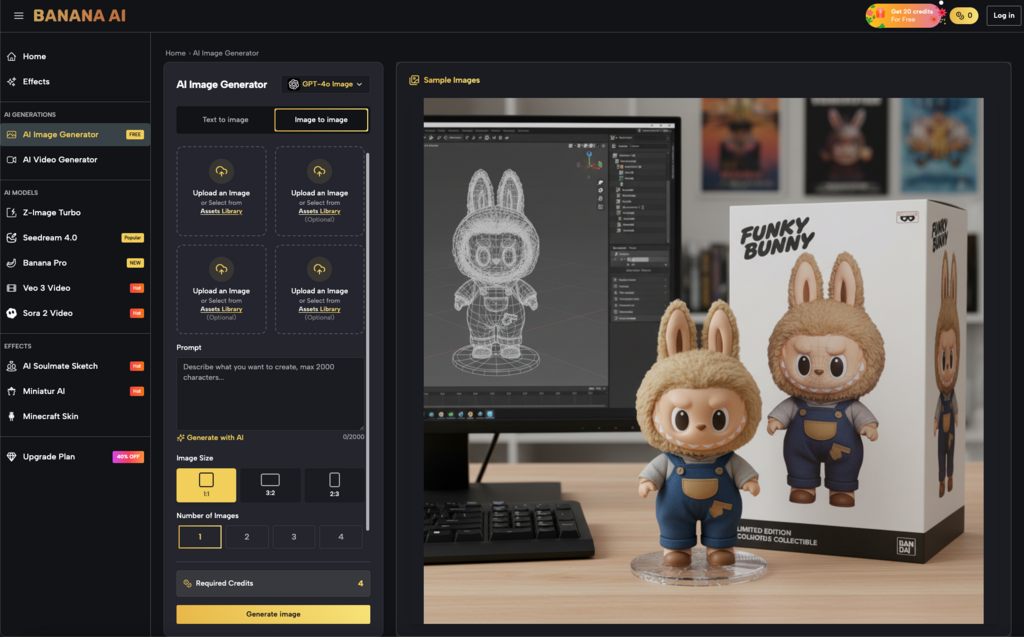
Identifying exactly when to stop prompting and start masking is a skill that separates junior creators from seasoned operators. When using Banana AI Image, the workflow shifts toward localized control. Instead of asking the model to “Generate a person holding a branded mug,” the smarter approach is to generate the high-quality persona first, then use regional masking to define the area where the mug should exist.
This localized approach is vital for brand-specific details. AI models natively struggle with the precise geometry of logos or the specific ergonomics of proprietary hardware. If you attempt to force these details through a global prompt, the model often hallucinates artifacts across the rest of the image to “balance” the visual weight of the prompt.
By utilizing regional changes, an editor can isolate a specific quadrant of the frame. You are essentially telling the model: “Do not touch the lighting on the face, do not touch the background bokeh; only iterate on the object in this 200×200 pixel mask.” This reduces the variables and allows for a much higher success rate per generation. It is not just about quality; it is about the computational efficiency of the creative cycle.
Inpainting as a Quality Gate for Video Consistency
The importance of surgical editing becomes even more apparent when moving from static images to motion. In the broader ecosystem of Banana AI, the image-to-video pipeline is the ultimate test of an asset’s integrity.
A “dirty” base image—one with minor anatomical errors or “floating” pixels—might pass as acceptable in a static social media post. However, when that image is fed into a video generation model, those minor errors are amplified. Motion models look for edges and depth cues to calculate movement. If a character’s hand has six fingers in the base image, the video model will attempt to animate all six, leading to grotesque temporal flickering and artifacts that are impossible to fix in post-production.
Pre-processing visuals with surgical inpainting acts as a quality gate. By fixing a character’s silhouette or clearing out background noise before initiating a video seed, you ensure that the motion vectors have a stable foundation. This “pre-animation polish” significantly reduces the number of video rerolls required, saving both time and credits in a high-volume production environment.
Navigating the Limits of Pixel Hallucination
Despite the advancements in regional editing, it is important to acknowledge that inpainting is not a universal solvent. There are inherent “blind spots” in how generative models handle localized changes.
One major limitation involves lighting consistency. When you mask an area and request a change—for instance, changing a wooden table to a marble one—the model may successfully change the texture, but it often struggles to account for how the new material would reflect the existing light sources in the unmasked parts of the image. Marble reflects light differently than wood, yet the surrounding “locked” pixels remain static. This can create a subtle uncanny effect where the inpainted region looks “pasted on” rather than integrated.
Furthermore, we must be clear that inpainting is currently less effective for complex overlapping perspectives. If you are trying to inpaint a character’s arm behind a translucent glass of water, the model often fails to understand the refractive layers. It will usually “hallucinate” the arm in front of the glass or merge the two into a singular mass of pixels. In these instances, traditional digital compositing in software like Photoshop or After Effects remains the more reliable, albeit more labor-intensive, path. Inpainting is a powerful tool for modification, but it is not a substitute for a high-resolution base composition when preparing assets for large-scale print or high-fidelity cinema.
Operationalizing the Edit: A Workflow for Production Teams
To integrate these concepts into a repeatable team workflow, we recommend a 4-stage loop that moves away from the “prompt and pray” method.
- Stage 1: The Broad Stroke (Generate): Use wide prompts to establish composition, lighting, and “vibe.” Do not worry about small errors or specific product details yet. The goal here is to find the soul of the image.
- Stage 2: The Surgical Strike (Critique & Inpaint): Identify the “deal-breakers.” Is there an extra limb? Is a background element distracting? Use masking to fix these specific regions. This is where you bring the generation closer to the brand guidelines without losing the initial aesthetic win.
- Stage 3: The Consistency Check: If the image is intended for video, run a “motion-readiness” check. Ensure all edges are clean and focal points are sharp. If the image is for static use, check the lighting integration of your inpainted zones.
- Stage 4: The Final Upscale: Only after the regional edits are finalized should the asset move to the upscaler. Upscaling an unedited image often just creates high-resolution versions of errors. Upscaling an edited image creates a professional asset.
This workflow reduces the frustration of creative teams. Instead of feeling like they are fighting an unpredictable machine, they begin to feel like they are sculpting with a new kind of digital clay. By defining internal benchmarks for what constitutes “Good Enough” for the initial generation versus “Production Ready” after editing, teams can significantly speed up their output.
Ultimately, the power of generative tools like these lies in their flexibility, not their autonomy. The most successful creators are those who recognize that the AI provides the raw material, but the human editor provides the intent. Regional changes and inpainting are the primary instruments of that intent, transforming a generic output into a specific, valuable piece of media.

