
A surprising number of unfinished songs do not fail because the idea is weak. They fail because the path from words to sound is too long. Someone writes a chorus line in a notes app, hears a rhythm internally, imagines the voice should feel intimate rather than theatrical, and then stops there because the next stage requires software, arrangement choices, recording skill, or collaboration that is not available in the moment. An AI Music Generator becomes compelling in that situation not because it promises perfect art, but because it gives shape to a song before the idea goes cold.
That is why the workflow matters more than the headline. Plenty of music tools advertise generation. Fewer make it clear how a user can move from a loose concept toward something more directed without stepping into a professional production environment. Based on the official ToMusic pages, the platform is structured around that middle ground. It offers a simple prompt-based path for speed, a custom path for more control, support for lyrics and instrumental generation, and multiple models that appear to emphasize different musical strengths.
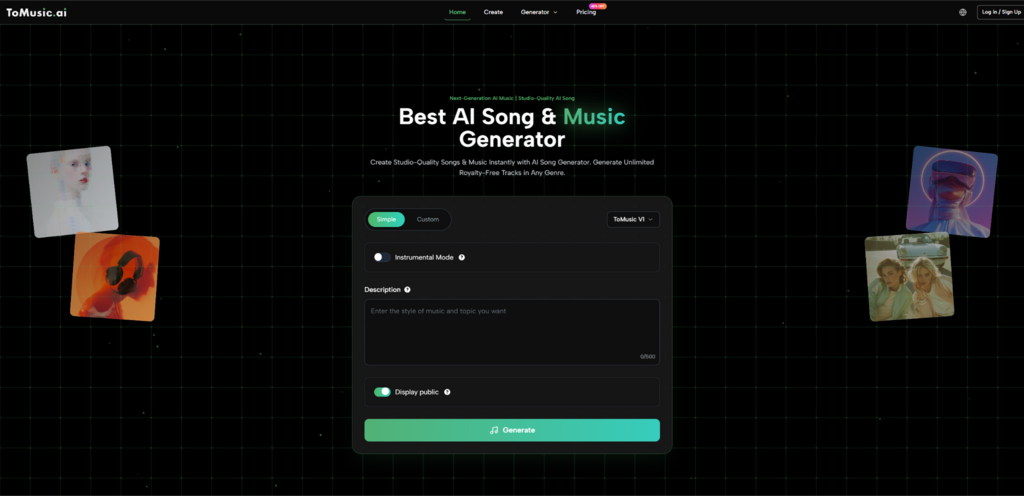
This combination makes the platform interesting for a practical reason. It acknowledges that users do not all arrive with the same kind of material. Some start with feeling. Some start with structure. Some start with lyrics. Some need background music instead of a sung track. A usable AI music product should not force those very different intents into one narrow interface. ToMusic appears to avoid that by giving users several ways to frame a song before generation begins.
Why Lyrics Need More Than Basic Audio Conversion
Most lyric-first creators are not simply looking for sound attached to words. They are looking for interpretation. A lyric can read as reflective, sharp, playful, cinematic, restrained, or emotionally oversized, and those differences change everything once music enters. If the tool cannot translate that layer of intention, then the output may be technically complete while still feeling creatively generic.
Lyrics Carry Hidden Arrangement Signals
What makes lyrics useful in generation is not only their semantic meaning. Lyrics often contain clues about pacing, repetition, and emphasis. A short line might invite a tighter melody. A longer line may push a different rhythmic shape. Repeated phrases can imply chorus behavior. The official workflow suggests users can provide lyrics directly and even use structural markers such as verse and chorus to guide the result.
Structure Helps The Model Interpret Purpose
This is more meaningful than it sounds. When a platform allows lyrics to be entered as structured song components, it is not merely reading text. It is being given a rough map of where tension, repetition, and release may belong. That is useful for anyone who wants more than a vague musical gloss over a paragraph of words.
Lyrics Become A Creative Control Layer
In other words, lyrics here function as a control surface. They help define not just what is sung, but how the song may unfold. For a user who writes first and produces later, that is one of the strongest reasons to care about this type of platform.
Instrumental Support Broadens The Meaning Of Music Creation
Officially, the platform also allows instrumental generation. That matters because not every lyric draft needs a voice immediately, and not every creative task needs a full song. Sometimes the goal is mood, not vocal identity. A creator may want a backing track for video, a demo bed for presentation, or a tonal sketch to test whether certain lyrics belong in a sparse or fuller arrangement.
This makes the workflow more flexible than a pure singer-focused experience. It can support users who want a finished-feeling song as well as those who simply need a strong sonic starting point.
How The Platform Organizes Creative Control
A good way to understand ToMusic is to look at how it divides decisions before generation starts. The official pages show that the user is not limited to typing a sentence and waiting. Instead, the system breaks control into meaningful inputs.
Model Choice Adds A Layer Of Intentionality
The four-model setup is central here. According to the official descriptions, the models lean into different strengths: V4 toward more authentic vocals and emotional character, V3 toward rhythm and harmonic detail, V2 toward cinematic and ambient qualities, and V1 toward faster, more mainstream-oriented generation.
Different Models Encourage Different Expectations
This is useful because creative dissatisfaction often comes from using the wrong tool for the wrong objective. If a user wants something atmospheric and chooses the model positioned for cinematic texture, the result may align better than if every request were sent into a single generalized engine.
Comparing Models Can Replace Blind Regeneration
Without model variation, users often rely on repeated retries with only slight prompt changes. A multi-model structure gives a better strategy. It lets users compare interpretations at a higher level rather than simply hoping for random improvement.
Input Fields Turn Vague Taste Into Better Signals
The create workflow also includes controls such as title, style direction, mood, tempo, voice-related guidance, lyrics, and instrumental selection. These elements work together to reduce ambiguity.
Creative Direction Becomes More Concrete
Many users know what they dislike more clearly than what they want. By asking for style and mood, the platform nudges them into clearer expression. Even a few tags can help move a request from broad to workable.
Fewer Surprises Usually Means Better Drafts
No generation system can eliminate surprise entirely, and that is probably a good thing. Still, the more specific the musical brief becomes, the more likely the first result will feel relevant enough to evaluate seriously.
What A Real Song-Making Session Looks Like
The most useful way to describe the product is through the sequence a normal user might follow. Based on the official flow, the process stays relatively compact.
Step One Defines The Creative Starting Point
The user begins by deciding whether the session is exploratory or directed. Simple mode makes more sense for quick experimentation, while custom mode is the better fit when lyrics and stronger musical guidance already exist. At the same time, the user chooses one of the available models and decides whether the result should include vocals or remain instrumental.
Step Two Shapes The Song Brief
Next comes the actual brief. This is where style, mood, tempo, title, and lyric content help narrow the target. For lyric-first creation, this stage is especially important because the written words and their structure strongly influence the eventual feel of the output.
Step Three Generates A Listenable Draft
Once the request is submitted, the platform returns a draft that can be assessed on practical terms. Does the vocal delivery feel emotionally close to the lyric? Does the tempo support the idea? Does the production density fit the intended use case? The result may already be useful, or it may reveal what needs to change in the next attempt.
Step Four Saves The Result For Ongoing Comparison
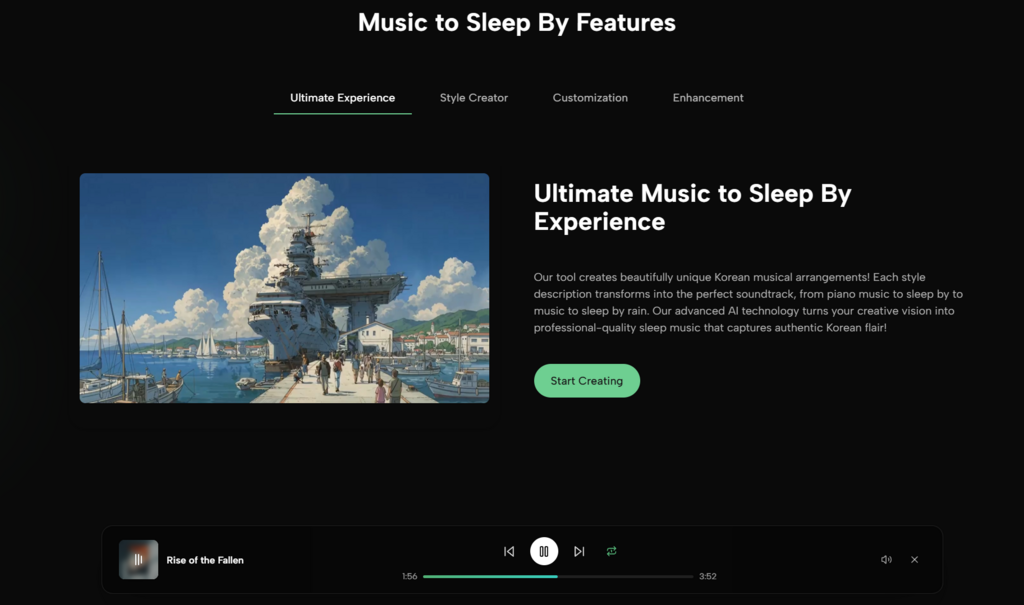
The official site indicates that creations are stored in the user’s library or studio area. That detail matters because comparison is one of the most important parts of AI-assisted creativity. Hearing three versions side by side teaches more than listening to one in isolation.
What Makes This Better Than Pure Novelty
The difference between a toy and a tool is usually not output quality alone. It is whether the system supports repeated use with intention. That is where ToMusic appears stronger than many superficial AI demos. The platform is surrounded by a wider workflow: generation settings, multi-model routing, library storage, plan-based downloads, and commercial-use positioning on the official pages.
A platform described this way feels less like a one-time trick and more like a draft engine. That is especially relevant for users who do not need a perfect final master on the first try. They need momentum, comparison, and a faster way to hear whether an idea deserves more attention.
Later in the workflow, Lyrics to Music AI becomes useful not only for songwriters but also for people who think in scripts, scenes, mood boards, and campaign concepts. Once lyrics and stylistic direction can be converted into a first listenable version, music starts participating earlier in the creative process.
How The Official Product Traits Compare In Practice
The table below captures the most practical distinctions shown by the official workflow.
| Product Trait | What The Official Pages Indicate | Practical Meaning |
| Creation Modes | Simple and Custom generation paths | Useful for both fast ideation and directed songwriting |
| Model Variety | Four models with different strengths | Lets users choose interpretation style instead of relying on one engine |
| Lyric Handling | Direct lyric input and structured guidance | Better for creators who write before they produce |
| Instrumental Option | Vocal and non-vocal generation paths | Supports songs, demos, and background use cases |
| Library Storage | Generated tracks saved in a personal area | Makes comparison and revision more realistic |
| Export Support | Paid plans include downloadable audio formats | Helps creators move from draft to external use |
| Licensing Position | Official pages describe commercial usage rights | Relevant for content and client-facing workflows |
Who This Workflow Serves Best
The most obvious audience is independent creators with partial ideas. But the workflow reaches further than that.
Lyric Writers Gain Faster Feedback
Writers often struggle to know whether lyrics feel better spoken, sung, minimal, or more dramatic. A generation platform gives immediate feedback on that question.
Content Teams Can Test Mood Earlier
For video and campaign work, music usually enters late because custom production takes time. A tool like this can move sonic testing much earlier in the process.
Musicians Can Use It As A Sketch Partner
Even for experienced musicians, speed matters. A rough AI draft may not be the endpoint, but it can still help surface arrangement direction, vocal tone questions, or emotional contrast worth developing further.
Where The Limitations Still Matter
It would be easy to oversell a platform like this by pretending that more controls automatically produce perfect songs. That is not how creative systems work. Good results still depend on clarity of input, willingness to iterate, and judgment after the output arrives.
Specific Inputs Usually Produce Stronger Results
The official workflow provides several control points, but those controls are only useful if the user can describe the destination clearly enough. Broad prompts may still generate broad outcomes.
Some Outputs Will Need Multiple Passes
That should be expected. The first generation may capture mood but miss vocal character. Another may capture arrangement but feel too dense. Iteration is part of the method.
Selection Remains The Human Advantage
No matter how good the draft engine becomes, the user still decides what is emotionally convincing, commercially useful, or artistically worth refining. That editorial role remains central.
Why This Signals A Different Future For Song Drafting
The larger significance of ToMusic is not merely that it can transform text into audio. It is that it lowers the threshold for hearing incomplete ideas. That changes behavior. People who once stopped at a lyric fragment or a half-formed mood note can now move one step further and test the idea in sound.
That shift is more important than the novelty of AI itself. Creative progress often depends on keeping momentum alive long enough for judgment to take over. A workflow that moves from lyric, mood, and model choice to a stored, reviewable draft helps do exactly that. It does not eliminate taste, craft, or revision. It simply lets them begin earlier. For many creators, that is the difference between an abandoned note and a song that actually has a chance to grow.

